Vietnam’s e‑visa portal rejects a real share of applications for one reason that has nothing to do with eligibility: the uploaded photo or passport scan does not meet the technical spec. A compliant portrait is 4x6 cm, JPG, taken within the last 6 months, on a plain white background, with no glasses or hat. The passport scan needs the full bio-data page with the machine-readable zone (MRZ) sharp and uncropped. Get either file wrong and the portal either bounces the upload or an officer rejects the application days later.
I’ve walked people through this upload screen more times than I can count, usually a day or two before a flight, when a bad photo means a scramble instead of a calm afternoon. Here’s what actually gets accepted on evisa.gov.vn in 2026.
What Size and Format Does the Vietnam E‑Visa Photo Need?
The portrait photo must be a standard 4x6 cm passport-style image in JPG or JPEG format, shot within the last 6 months. Vietnam’s e‑visa portal runs on two official domains, evisa.gov.vn and its mirror thithucdientu.gov.vn, both operated by the Immigration Department under the Ministry of Public Security.

The background has to be plain white, no patterns, no shadows behind your head, no colored wall. Face the camera directly with a neutral expression, no glasses, no hat, no head covering unless it’s worn for religious reasons and doesn’t obscure your face. Sources on the exact file-size ceiling disagree: some cite 2 MB, others as low as 1 MB specifically for the portrait field. I compress every photo my clients send to under 1 MB before upload, which clears both limits and avoids a guessing game with the form.
A recent selfie from a plain wall with good, even light usually passes. A cropped vacation photo, a shot with sunglasses, or an old passport photo scanned off paper usually doesn’t.
What Must the Passport Scan Show?
The passport scan needs to be a color JPG of the full bio-data page, under roughly 2 MB, with the MRZ (the two lines of code at the bottom of the page) completely visible and legible. All four corners of the page need to be in frame, and nothing, no finger, no glare, no shadow, can cover the printed text or your photo.
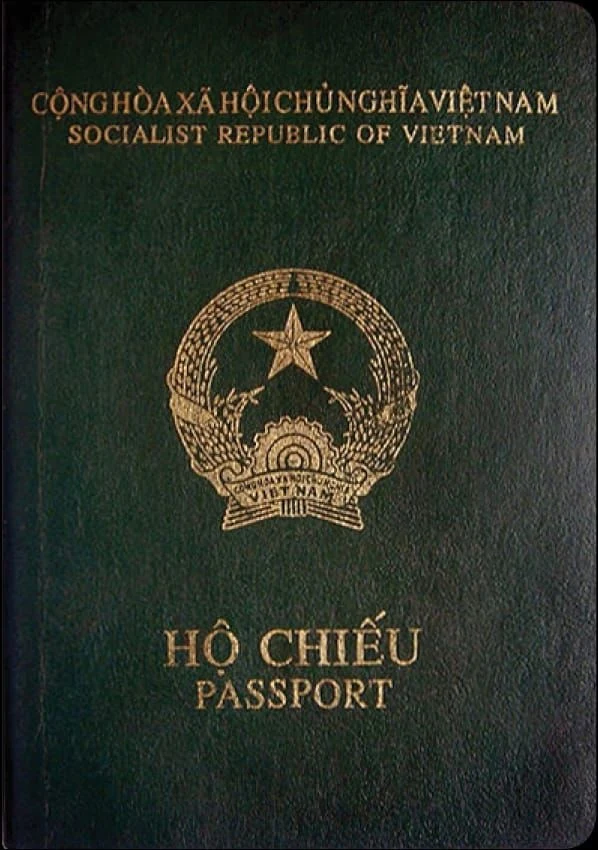
The name you type into the e‑visa form has to match the MRZ on your passport character for character. A typo here, an extra middle name, a transliteration that doesn’t match, triggers a mismatch the system flags automatically. Several agencies that process these applications daily report this as one of the most common rejection triggers, right alongside a blurry or glare-covered scan.
Photographing the bio-data page with a phone camera is common practice among applicants and accepted in practice by most agencies, though the official portal text doesn’t spell out phone vs. scanner as a rule. Flat lighting, a dark background under the passport, and holding the phone directly overhead (not at an angle) gets a scan that reads clean.
How Long Does Your Passport Need to Stay Valid?
Vietnam requires your passport to have at least 6 months of validity remaining from your date of entry, plus roughly two blank pages. This is a general Vietnam entry rule rather than something unique to the e‑visa form, but it gets enforced at the same upload step: a passport expiring in five months triggers a rejection regardless of how clean your photo is.
Check the expiry date before you start the form, not after. Renewing a passport takes weeks in most countries, and a rejected e‑visa this close to a trip leaves little room to fix both problems at once.
Step by Step: Preparing and Uploading Your Files
Getting the photo and scan right the first time saves the resubmission wait, which can run several business days on top of the standard processing window.
- Take the portrait against a plain white wall or backdrop, in daylight or even indoor light, face forward, no glasses or hat, cropped to roughly passport-photo proportions.
- Resize and save it as a JPG under 1 MB, using any free photo editor or your phone’s built-in compression when you export.
- Lay your passport flat, bio-data page up, and photograph or scan it directly overhead so the MRZ lines at the bottom aren’t at an angle.
- Check the scan on a larger screen before uploading. If the MRZ is blurry or a corner is cut off, redo it. This step alone catches most rejections.
- Enter your name into the form exactly as it appears on the MRZ line, letter for letter, including any middle names.
- Upload both files on evisa.gov.vn, pay through the portal, and save the registration code it issues.
Why Do Vietnam E‑Visa Photos and Scans Get Rejected?
Visa agencies that handle these applications report the same five technical causes over and over:
- A blurry or low-resolution photo.
- A colored or patterned background instead of plain white.
- A file in the wrong format, or over the size limit for that field.
- A cropped or obscured MRZ zone on the passport scan.
- Glare, shadow, or a finger covering part of the passport page.
No government agency publishes an official percentage breakdown of rejection causes, so treat any specific statistic you see elsewhere as an estimate, not a confirmed figure.
Most of these five causes share one fix: retake the photo in better light against a plain wall, and photograph the passport flat, straight overhead, with nothing between the camera and the page.
How Much Does the Vietnam E‑Visa Cost in 2026?
The government fee is $25 for a single-entry e‑visa and $50 for a multiple-entry e‑visa, set under Circular 28/2026/TT-BTC from Vietnam’s Ministry of Finance, effective April 1, 2026. This fee is separate from the photo and scan requirements, but it’s paid on the same form, right after your files clear upload.
I file these applications with a card the portal reliably accepts, because a payment that hangs or fails partway through is its own way to lose a day. If your photo and scan are clean and your card goes through, the standard processing window still applies from there.
What Actually Gets an E‑Visa Approved on the First Try?
A photo that’s recent, plain-background, and under 1 MB, paired with a straight-on, full-page passport scan with a legible MRZ, clears the upload step almost every time. Passport validity and an exact name match handle the rest. Applicants who get rejected almost always trace it back to one of those two files, not to eligibility.
I’ve seen the fallout when this goes wrong close to a flight: a resubmission that eats the only spare day before departure. If you’d rather send me your passport photo page and let me check the upload before it goes anywhere, or have me file the whole application with a card that works and the pickup handled on this end, message me on WhatsApp and tell me your travel dates.
If you’re already deep into researching Vietnam entry rules, it’s worth knowing what an official e‑visa website actually looks like versus the lookalike domains that show up in search results, and what to do if the name or passport number on an approved e‑visa comes back wrong. If you’d rather not handle this yourself, our Vietnam e-visa 90 days page shows the timings and what’s included.
Frequently asked questions
What size should my photo be for a Vietnam e‑visa? The standard is 4x6 cm, the same size used for most passport photos, in JPG format. Save it under 1 MB to clear the size limits agencies commonly report, since sources differ between roughly 1 MB and 2 MB for this field.
Can I use a selfie for my Vietnam e‑visa photo? A recent selfie can work if it’s against a plain white background with even, direct light and no glasses or hat. A selfie with a busy background, harsh shadows, or an angled face is a common rejection trigger.
Does the passport scan need to be in color? Yes, submit a color scan or photo, not black and white. No source we checked confirmed a greyscale scan is accepted, and color makes the MRZ and any security features easier for the system to read.
Can I photograph my passport with my phone instead of scanning it? Most applicants do exactly this, and agencies that process applications daily treat it as standard practice, though the portal text doesn’t spell out phone versus scanner as an explicit rule. Shoot straight overhead in good light with the page flat.
Why does the e‑visa system flag a name mismatch? The name you type has to match the MRZ line on your passport exactly, including middle names and spelling. Even a small transliteration difference between your form entry and the passport’s printed code triggers an automatic flag.
How many months of passport validity do I need to enter Vietnam? At least 6 months remaining from your date of entry, plus roughly two blank pages. This is a general entry requirement, not something specific to the e‑visa form, but it’s checked at the same step as your photo and scan.