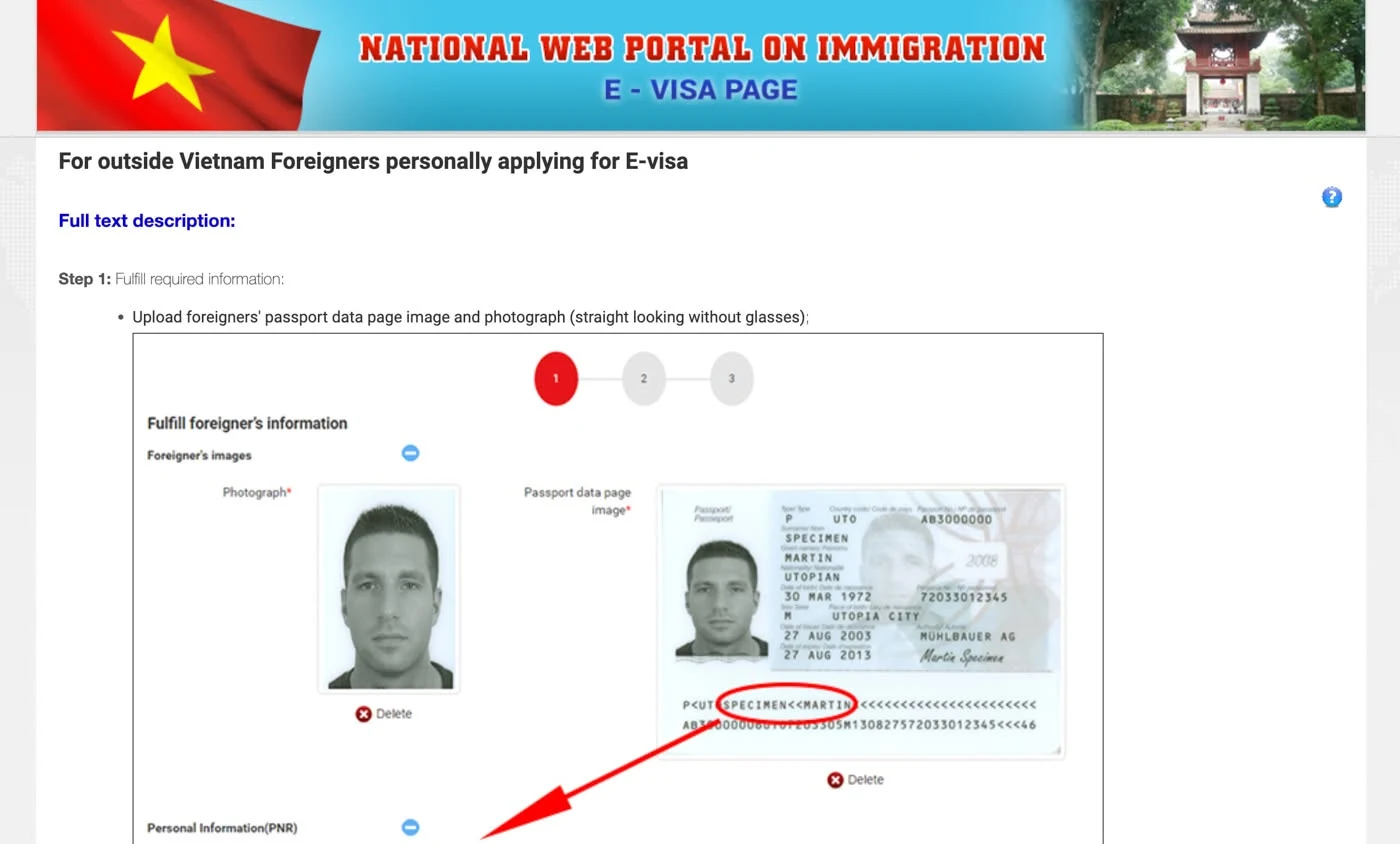
When evisa.gov.vn will not load, first confirm that you are on the real portal, because Vietnam runs only two addresses for e‑visa applications: evisa.gov.vn and thithucdientu.gov.vn. The government fee is $25 for a single-entry e‑visa and $50 for multiple entry, so a site asking for more on top of that is not the portal. A real outage, a payment hiccup and a look-alike site each need a different reaction, and this page separates the three.
I run visa runs and e‑visa filings from Da Nang, so portal problems reach me on clients’ screens before they reach anyone else. On 30 September 2026 I opened the portal myself and matched every claim below against official pages.
How Do You Tell the Real Vietnam E‑Visa Site from a Fake One?
Compare the hostname in the address bar letter by letter: the real portal answers only on evisa.gov.vn and thithucdientu.gov.vn, and the older evisa.xuatnhapcanh.gov.vn address still works and sends applicants to the same application page. An address ending in govt.vn, .org or .com is not the government portal, however official the banner looks.
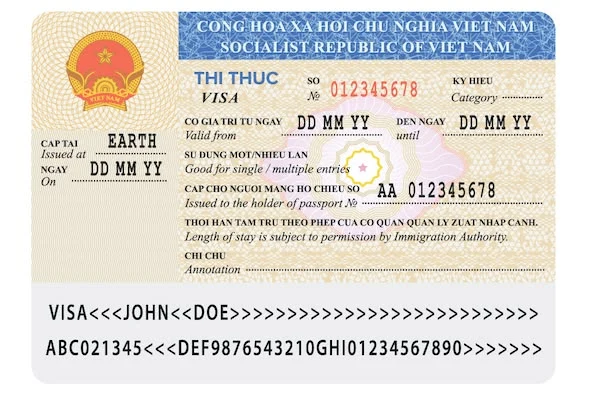
Three checks catch most look-alikes:
- The hostname matches one of the official addresses exactly, with no extra words or letters.
- The total charged for the visa itself equals the government fee, with no “processing surcharge” added.
- The site never asks you to meet anyone or to prove your finances to get an e‑visa.
In March 2023 the Immigration Department itself warned, as reported by Thanh Nien, that fake sites were charging high fees through foreign bank accounts, and it added that a foreigner pays no extra costs for an e‑visa. The official FAQ still carries a warning about unofficial pages with unauthorized fees.
A legitimate agency also charges on top of the government fee, states its own fee separately and files your application on the official portal, while a look-alike presents itself as the government. On an unfamiliar site I weigh the fee line above everything else, since a price over $25 or $50 with no separate service line is the quickest giveaway. The price side of this is covered in a separate guide to spotting a fake official Vietnam e‑visa website.
Why Does evisa.gov.vn Show a Blank Page or Keep Loading?
Blank pages, endless spinners and files that will not upload are usually signs of a busy or slow server when the address is one of the two official ones. Visa agencies that track the portal name high traffic, overloaded servers, payment gateway errors, scheduled maintenance and browser incompatibility as the typical causes. I found no official incident log, so there is no status page where the Immigration Department announces an outage. Without one to check, the pull is to keep refreshing and resubmitting, and a hung form may already have gone through, so I treat that as the one habit to skip.

The failures people report fall into four groups:
- The page does not load or times out.
- The form freezes while the portrait or passport scan uploads.
- The payment page hangs after you press pay.
- No confirmation email arrives after payment.
The first two are about loading and can be retried safely. The last two involve money and need more care; the payment section below covers them.
Step-by-Step: Is It an Outage or Just Your Connection?
If the page fails in every browser and on every network, it is most likely an outage; if it loads somewhere else, the fault is in your browser or connection. Work through these steps in order before you decide the portal is down:

- Check the address bar: the hostname must be evisa.gov.vn or thithucdientu.gov.vn.
- Open the same page in a second browser and on a different network, for example over phone data. If it loads there, the fault sits in your first browser or connection.
- If it fails everywhere, wait about an hour and try again. Agencies describe a site-wide outage as one that fails for everybody and usually clears within that time.
- Before you press pay a second time, look at your email and your bank app for a charge and for a registration code.
- If the problem survives all four steps, write to the portal’s support with screenshots and the registration code.
What Should You Do When Payment Fails or the Money Leaves Your Card?
Do not pay a second time until you have checked your bank app and your email. The official order on the Ministry of Public Security service catalog is: fill in the form, upload the portrait and passport page, receive a registration code, pay, then check the result with that code. A charge with no code on your side is a case for support, and a second payment only adds a second charge.
Processing takes no more than 3 working days, and the count starts only after the complete application and the fee have both reached the Immigration Department. If a payment never went through, the clock has not started. The card-side reasons a payment bounces are listed in why a Vietnam e‑visa payment fails.
The payment step is where many applications stall, because a card that the gateway refuses leaves you with a finished form and no way to submit it. You can solve this yourself by trying another card that the gateway accepts. If you would rather hand it over, BestBus Vietnam files e-visas for people in exactly this position: I pay the government fee on a card the portal accepts and set the entry gate to match your route, so I only need your travel dates and the place you land. Write to me on WhatsApp with your dates and I will tell you what is realistic before your flight.
Who Do You Contact at the Official Portal When Something Breaks?
The portal publishes four ways to reach the Immigration Department: a hotline at +84 24 3825 7941, an email for questions about the service at foreigners@xuatnhapcanh.gov.vn, an email for technical problems at technical_support@immigration.gov.vn, and a request form on the portal itself. Pick the technical address for freezes and errors, and the service address for questions about your application.

The form asks for your name, nationality, phone, the email you registered with, passport details, a description of the problem and a captcha. You can attach up to three files in JPG, JPEG or PNG format, each under 2 MB. I do not count on the hotline from abroad, since it is a Hanoi landline and no hours or language are published. Nobody publishes a guaranteed reply time, so put the registration code and screenshots in the first message.
Short Version: What to Do First
Confirm that the hostname is evisa.gov.vn or thithucdientu.gov.vn, retry from a second network, and give a site-wide failure about an hour. Look at your email and bank app before paying again. If money left your card and no registration code appeared, write to the Immigration Department with screenshots.
You can do all of this yourself with the portal and a second browser. But if you would rather not watch dates, cards and entry gates while a page refuses to load, ask me on WhatsApp what still fits before your flight.
Frequently asked questions
Can I get my money back if the e‑visa is refused?
No. The portal states that the fee goes through its payment gateway and is not refunded if the visa is not granted, so check the passport data and the entry gate before you pay. This part can be handed over end to end — what that covers is on our Vietnam e-visa 90 days page.
Why does my browser show a certificate warning on the real evisa.gov.vn?
In my check on 30 September 2026 the server sent only its own certificate, without the intermediate one. Strict tools such as openssl report an error, while ordinary browsers usually accept it. Old devices and corporate proxies are the most likely to complain.
Does the portal work on weekends?
You can submit an application at any hour, and the portal runs on Vietnam time, UTC+7. According to the service catalog, files are received Monday to Saturday and results are returned Monday to Friday, excluding Tet and public holidays.
Can I check my application status if I lost the registration code?
The official check runs on the registration code, so keep it. If it is lost, use the support form and give the email you registered with, since the form has a field for exactly that.